How to measure monitor size, with a size chart
To measure a monitor, run the tape corner to corner across the screen, not the bezel. A 27 in monitor is 23½ × 13¼ in. Size chart from 21.5 to 49 in.
 By the TapePal teamUpdated 5 min read
Short answer
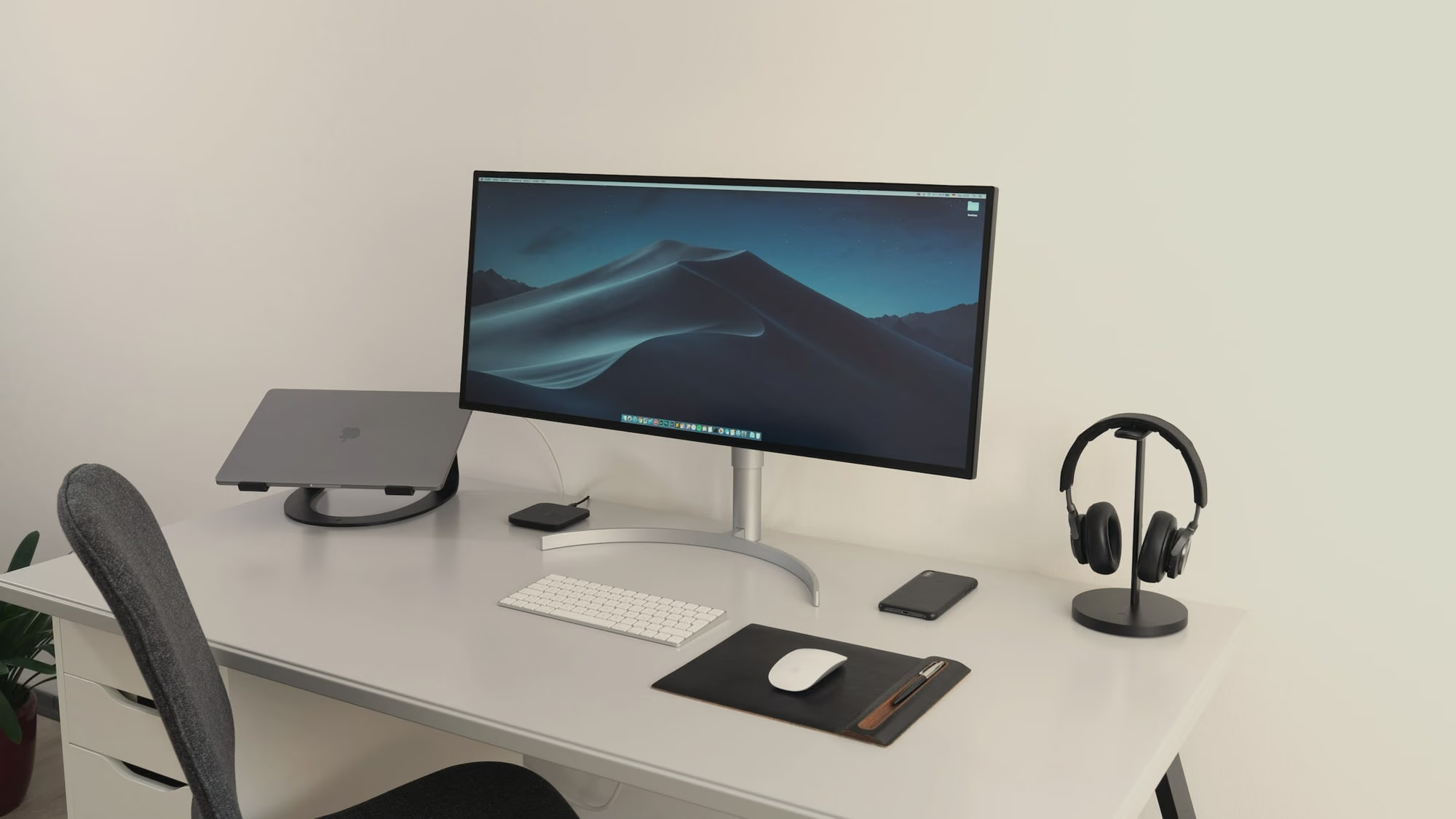
The diagonal of the screen, from one corner to the opposite corner and not counting the bezel, is a monitor's size. A 27 in monitor has a screen about 23½ in wide and 13¼ in tall. A 24 in is about 20⅞ by 11¾ in, and a 32 in about 27⅞ by 15¾ in.
What are the common monitor sizes?
A monitor’s size is the diagonal of its screen, so a 27 in monitor is 27 in from corner to corner and about 23½ in wide. Here is the width and height of each common size at 16:9, the shape of most monitors.
| Monitor size | Screen width | Screen height | cm |
|---|---|---|---|
| 21.5 in | 18¾ in | 10½ in | 48 × 27 |
| 23.8 in | 20¾ in | 11⅝ in | 53 × 30 |
| 24 in | 20⅞ in | 11¾ in | 53 × 30 |
| 27 in | 23½ in | 13¼ in | 60 × 34 |
| 31.5 in | 27½ in | 15½ in | 70 × 39 |
| 32 in | 27⅞ in | 15¾ in | 71 × 40 |
Many monitors are sold by a rounded size: a “24 in” is often 23.8 in corner to corner, and a “32 in” often 31.5 in. These are screen sizes. The monitor is wider and taller by its bezel, and taller again on its stand; the spec sheet lists both.
How do you measure a monitor?
Measure the screen diagonally, from the bottom-left corner of the picture to the top-right corner, and leave out the bezel. That number, in inches, is the monitor’s size.
- Find the edges of the picture Turn the monitor on with a white page. The size runs from where the picture stops, not from the edge of the bezel or frame around it.
- Measure corner to corner Hold the end of the tape at the bottom-left corner of the picture and run it to the top-right corner. Keep the tape just off the screen.
- Match it to a size Read the length in inches and find the closest size in the chart. A monitor sold as 24 in often measures 23.8 in, and one sold as 32 in often measures 31.5 in.
You can also skip the tape. In Windows, open Settings → System → Display → Advanced display: under Display information it names the monitor. On a Mac, System Settings → Displays shows the monitor by name. The label on the back gives the model number too, and many model numbers carry the size: a Dell U2723QE is a 27 in. Look the model up for the exact screen size.
How big is an ultrawide monitor?
Ultrawide monitors are sold as 21:9, about a third wider than 16:9 for the same height. That makes them much wider but barely taller than a 16:9 screen with the same diagonal.
| Monitor size | Shape | Screen width | Screen height | cm |
|---|---|---|---|---|
| 29 in | 21:9 | 26⅝ in | 11⅜ in | 68 × 29 |
| 34 in | 21:9 | 31¼ in | 13⅜ in | 79 × 34 |
| 38 in | 21:9 | 34⅞ in | 15 in | 89 × 38 |
| 49 in | 32:9 | 47⅛ in | 13¼ in | 120 × 34 |
Panels sold as 21:9 are often a touch wider still. A 34 in ultrawide with 3440 × 1440 pixels is about 31⅜ by 13⅛ in, and a 38 in with 3840 × 1600 pixels about 35⅛ by 14⅝ in. A 49 in super ultrawide is as tall as a 27 in monitor and twice as wide: two 27 in screens side by side, without the bezels in the middle.
How do you work out a monitor’s width and height?
Use the diagonal and the shape. The width, the height and the diagonal make a right triangle, so the diagonal of the shape is √(width² + height²).
16:9: √(16² + 9²) = √337, about 18.36. For a 27 in monitor, the width is 27 × 16 ÷ 18.36 = 23.53 in, and the height is 27 × 9 ÷ 18.36 = 13.24 in: about 23½ by 13¼ in. In short, multiply the size by 0.872 for the width and by 0.490 for the height.
21:9: √(21² + 9²) = √522, about 22.85. For a 34 in ultrawide, the width is 34 × 21 ÷ 22.85 = 31.25 in, and the height is 34 × 9 ÷ 22.85 = 13.39 in: about 31¼ by 13⅜ in. Multiply by 0.919 for the width and 0.394 for the height.
16:10: some monitors are a little taller, at 16:10. Multiply by 0.848 and 0.530: a 24 in 16:10 screen is about 20⅜ by 12¾ in. To turn any of these into millimeters, use the inches to mm converter.
Will the monitor fit your desk?
Measure the desk from side to side and from front to back, then compare it with the monitor’s full width and the stand’s depth from the spec sheet.
- Width: two 27 in monitors side by side have 47 in of screen, plus the bezels. Plan on about 4 ft of desk.
- Distance: sit about 20 to 40 in from the screen, the range OSHA’s computer workstations eTool gives. A deep desk lets a big monitor sit farther back.
- Height: the top of the screen should be at or a little below eye level, so measure from the desk to your eyes when you sit.
TVs are measured the same way. For bigger screens, see how to measure a TV and the TV sizes chart. For a laptop, see how to measure a laptop screen.
Can your iPhone measure it?
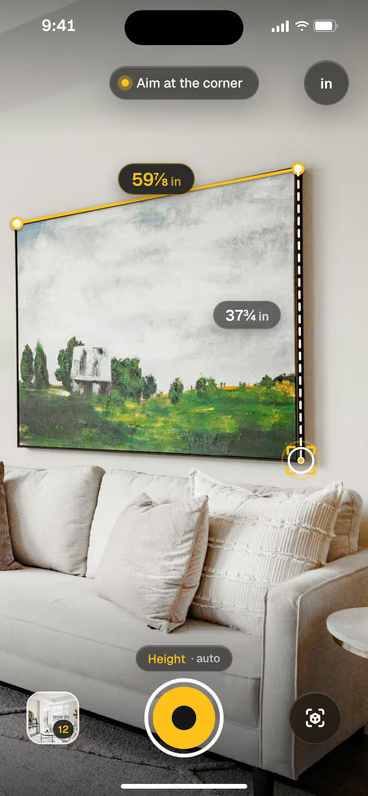
Corner to corner, in two taps. Aim at one corner of the screen and tap, then aim at the opposite corner and tap again. TapePal shows the length in inches and saves it with the photo. Measure the desk the same way.

For lengths, walls and rooms, see the tape measure app. For small things, the phone ruler draws inches at actual size on the iPhone screen.
Questions
Is monitor size measured diagonally?
Yes. A monitor's size is the diagonal of the screen, from one corner to the opposite corner. The bezel and the stand don't count, so the whole monitor is bigger than its size suggests.
How wide is a 27 inch monitor?
The screen is about 23½ in wide and 13¼ in tall at 16:9. With the bezel the monitor is a little wider, about 24 in on many models. Check the spec sheet for the exact width.
Is a 34 in ultrawide bigger than a 27 in monitor?
It is wider, not taller. A 34 in ultrawide is about 31¼ in wide and 13⅜ in tall at 21:9, nearly the same height as a 27 in 16:9 screen, with about 8 in more width.
How do I find my monitor's size in Windows?
Open Settings, then System, Display and Advanced display. Under Display information Windows shows the monitor's name. Look that model up on the maker's site, or read the model number on the label on the back.
How big is a 24 inch monitor?
The screen is about 20⅞ in wide and 11¾ in tall at 16:9. Many 24 in monitors actually measure 23.8 in, about 20¾ by 11⅝ in.
How we checked this. Widths and heights are computed from the diagonal and the screen's shape: width = diagonal × W/√(W² + H²) and height = diagonal × H/√(W² + H²), rounded to ⅛ in. A screen's size is its diagonal, corner to corner (display size), and monitor makers list the exact viewable size on the spec sheet. The viewing distance is the 20 to 40 in range in OSHA's computer workstations eTool. Read 26 Nov 2026. Reviewed by the TapePal team on .