Digital level: how accurate, and how to use one
A digital level shows tilt as a number. How accurate digital and phone levels are, how to set zero, and why 0.5° is 5/16 in over 3 ft.
 By the TapePal teamUpdated 6 min read
Short answer
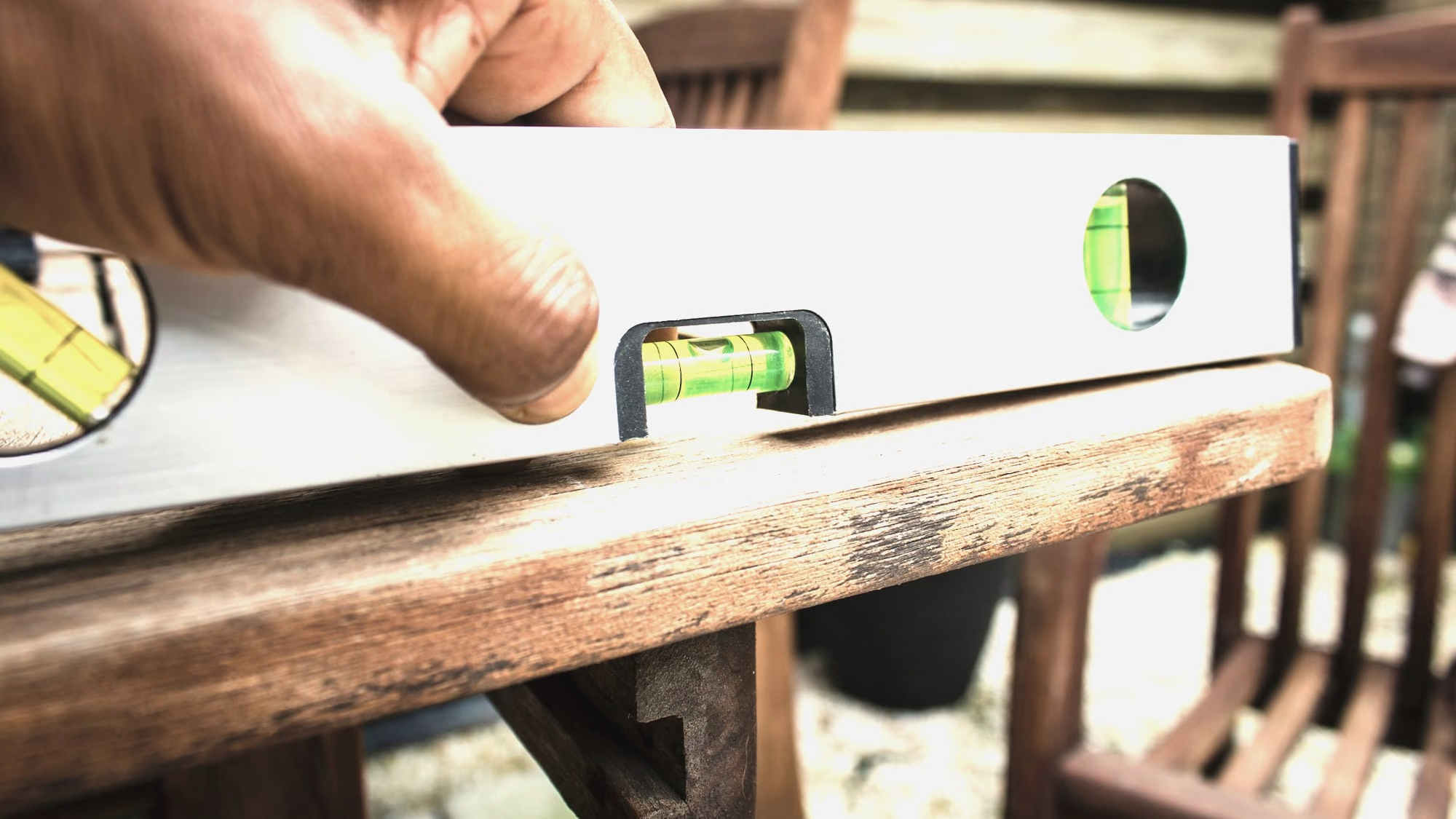
To 0.1° or finer: a digital level reads tilt with an electronic sensor and shows it as a number in degrees, where a bubble level shows a bubble between two lines. Pro digital levels are rated ±0.05° at level and plumb, about 1/32 in over 3 ft. A phone level reads to 0.1°, which is enough for shelves, pictures, floors and posts once you check it with a flip test.
What is a digital level?
A level with an electronic tilt sensor and a screen. It shows how far a surface leans from level, or an edge from plumb, as a number: usually in degrees, often also in percent or inches per foot. Most keep one or two bubble vials as well, and many beep when they reach 0.0°.
| Level | How it reads | Rated accuracy | Over 3 ft |
|---|---|---|---|
| Spirit (bubble) level | A bubble between two lines | About 0.03° on a good vial | Under 1/32 in |
| Digital level | A number in degrees, often % or in/ft too | ±0.05° at level and plumb on pro models | About 1/32 in |
| Phone level | A number to 0.1°, and a bubble | None published | Check it with a flip test |
The sensor is the same kind of chip that turns your phone’s screen when you rotate it, an accelerometer, built and tuned for measuring. Its digital readout is why people buy one: you see that a shelf is 0.4° out, not just that the bubble is a little left.
Is a digital level more accurate than a bubble level?
Not by much, and not always. A good vial is rated about as tight as a good sensor. The difference is reading it:
- A bubble tells you which way and roughly how far. Reading the last bit depends on your eyes, the light and the angle you look from.
- A number tells you exactly how far out you are, so you know how much to shim, and you can match two surfaces to the same angle.
- A digital level needs batteries and can drift after a drop or in heat and cold. A bubble level needs nothing, but its vials can shift too.
Both should be checked now and then. The check is the same for both, and it’s the next section.
How accurate is a phone level?
Accurate enough for most home jobs, if you check it first. A phone level reads to 0.1°, but a readout isn’t an accuracy rating: phone motion sensors are made for screens and games, and no phone maker publishes a tilt accuracy for them. Three things throw a phone off more than the sensor does:
- The camera bump. Lying on its back, a phone rocks on its camera. Lay it face-up on something flat, or set zero first.
- The case. A bumpy or bent case tilts the phone. Take it off for anything that matters.
- The edges. Phone edges are rounded. Press the flattest part, the long side, against the work.
A phone is also short. It reads the 6 in it sits on, so a bump or a dip under it shows as a tilt. Lay it on a straight board for long surfaces. More on phone angles on our inclinometer app page.
How do you calibrate a digital level or set zero?
Check it end for end first. It takes a minute and tells you whether the level reads true:
- Check it on the spot Lay the level on a flat surface and read it. Turn it end for end on the same spot and read again. The same number both ways means it reads true. If not, calibrate it, or set zero on a surface you know is level.
- Place it on the work Clean the surface and press the level's long, flat edge against it. Lay it flat on a shelf, table or floor. Hold it upright against a frame, post or wall.
- Read and adjust Read the angle in degrees. Raise the low side, or move the top of a post, until the readout shows 0.0°. Then read again in a second spot.
If the two readings differ, the true tilt is their average, and the level is off by half the gap. Say it reads 0.4° one way and 0.2° the other, both with the same end low: the surface is at 0.3°, and the level reads 0.1° off.
- Calibrate a dedicated digital level with the routine in its manual. On most, you read on a flat spot, turn it end for end when the screen says so, and it corrects itself.
- Set zero measures from whatever surface the level sits on. Set zero on a surface you know is level and it cancels the phone’s own offset, camera bump included. Set zero on a surface that isn’t level and every reading after it is off by that much.
Set zero has a second use: matching one surface to another that isn’t level. Set zero on the first shelf, move to the second, and the readout shows how far apart they are.
How do you use a digital level for common jobs?
Lay it flat for surfaces, hold it upright for edges, and always read in more than one spot.
Hang a picture or a shelf
Rest the level on the top of the frame or the shelf and nudge it until it reads 0.0°. For two hooks or two brackets, level the pencil marks on the wall before you drill. See how to hang a picture for the height and the hardware.
Check a floor or a table
Lay the level flat in three or four spots: near each end and in the middle. Read the angle and the rise over 3 ft, and note which way it falls. A level that reads both ways at once, left to right and front to back, shows which corner is low on a table in one go. Shim the low leg or the low corner until each spot reads 0.0°.
Before you lay tile or set cabinets on a floor, check the maker’s instructions for how level and how flat it has to be. Flatness, bumps and dips, needs a long straightedge as well.
Plumb a post or a frame
Hold the level upright against the post. Read one face, then the face next to it: a post can be plumb one way and lean the other. Brace it, then read both faces again after you fix it. For a door or window frame, check both sides and the head.
What does 0.5° mean in inches?
About 5/16 in over 3 ft. To turn any angle into a rise, multiply the length by the tangent of the angle: 36 in × tan 0.5° = 36 × 0.0087 = 0.31 in, which is 5/16 in to the nearest sixteenth. Over 4 ft it’s 7/16 in, and over 6 ft it’s 5/8 in.
| Angle | Over 2 ft | Over 3 ft | Over 4 ft | Over 6 ft |
|---|---|---|---|---|
| 0.1° | 1/16 in | 1/16 in | 1/16 in | 1/8 in |
| 0.25° | 1/8 in | 3/16 in | 3/16 in | 5/16 in |
| 0.5° | 3/16 in | 5/16 in | 7/16 in | 5/8 in |
| 1° | 7/16 in | 5/8 in | 13/16 in | 1 1/4 in |
| 2° | 13/16 in | 1 1/4 in | 1 11/16 in | 2 1/2 in |
For small angles there’s a shortcut: 1° is about 3/16 in per foot, so 0.5° is a little under 1/8 in per foot. Going the other way, 1/4 in per foot, a common slope for drain pipe, is about 1.2°. For slopes in percent or roof pitch, see the roof pitch guide.
When should you use a real spirit level instead?
A phone or a short digital level is fine for frames, shelves, tables and checking a floor. Reach for a 4 ft or 6 ft spirit level, or a long digital one, when:
- The span is long. A long level bridges the bumps and reads the whole run: a countertop, a deck ledger, a row of cabinets.
- You need both hands. A level with a flat base stays put on a stud or a form while you drive screws. Some have magnets.
- Someone will inspect it. Work an inspector checks, or a fall that has to meet code, deserves a level with a rated accuracy.
- The angle is the job. Setting a saw blade or a machine to a tenth of a degree calls for a dedicated digital inclinometer, sometimes called a digital angle gauge.
- It’s wet, dusty or rough. A site level shrugs off mud and drops your phone won’t.
Can your iPhone be a digital level?
Yes. TapePal, which we make, has a level on every iPhone. Flat reads a table, shelf or floor left to right and front to back. Upright reads frames, posts and walls. The angle shows to 0.1°, with the rise over 3 ft under it, and the level tells you which side to raise. Within 0.1° of level the whole screen changes color and you feel a tap.
Set zero here measures from any surface, Hold keeps the reading on screen when you can’t see the phone, and Camera level draws a horizon line over the camera. There’s a Control Center and Lock Screen control, and a level on Apple Watch: rest the watch on the surface and read it. More on the level app page.
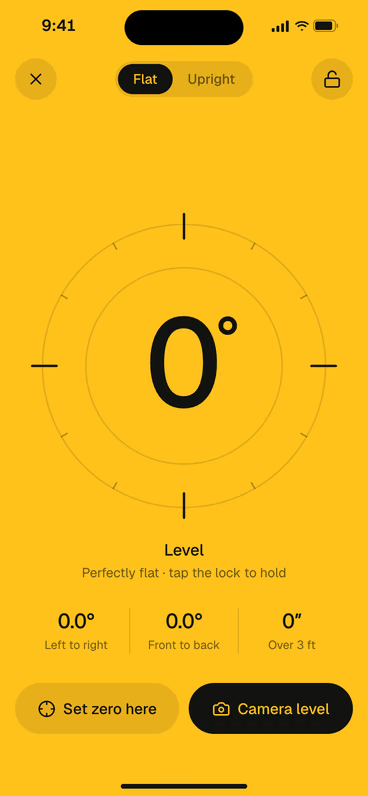
Degrees, both ways. Lay your iPhone on the shelf or hold it to the frame. TapePal reads the angle to 0.1°, shows the rise over 3 ft and tells you which side to raise.

Questions
Do digital levels need calibrating?
Yes, now and then, and after a drop. Most have a calibration routine in the manual: read on a flat spot, turn the level end for end, read again, and it corrects itself. Check a phone the same way, then set zero if it's off.
Is a digital level more accurate than a bubble level?
Not by much. A good vial is about as accurate as a good sensor. The digital level is easier to read: it gives a number, so you know how far out you are, not just which way.
What's the difference between a digital level and a laser level?
A digital level reads the tilt of the surface it touches. A laser level projects a level or plumb line across a room, so you can mark the same height on several walls.
Can I use my iPhone as a digital level?
Yes. TapePal, which we make, reads tilt to 0.1° flat or upright, with set zero and hold.
What is 1/4 in per foot in degrees?
About 1.2°. 1/8 in per foot is about 0.6°, and 1/2 in per foot is about 2.4°. Multiply the degrees by 0.21 for a rough inches-per-foot figure on small slopes.
How we checked this. Accuracy figures are the makers' own spec sheets, read 11 Nov 2026: Stabila's TECH 196 DL and Bosch's GIM 60 digital levels list ±0.05° at 0° and 90°, and Stabila rates its Type 196 vials at 0.029°. The end-for-end check is the reversal method level makers give for checking a vial or calibrating a digital level. Rise = length × tan(angle), rounded to the nearest 1/16 in: 36 in × tan 0.5° = 0.314 in. Phone makers don't publish a tilt accuracy for their motion sensors. TapePal's level features come from the app's specification. Reviewed by the TapePal team on .